Video editing,
simplified.
A lightweight, fast video converter and trimmer. No bloat, no subscriptions, just results.
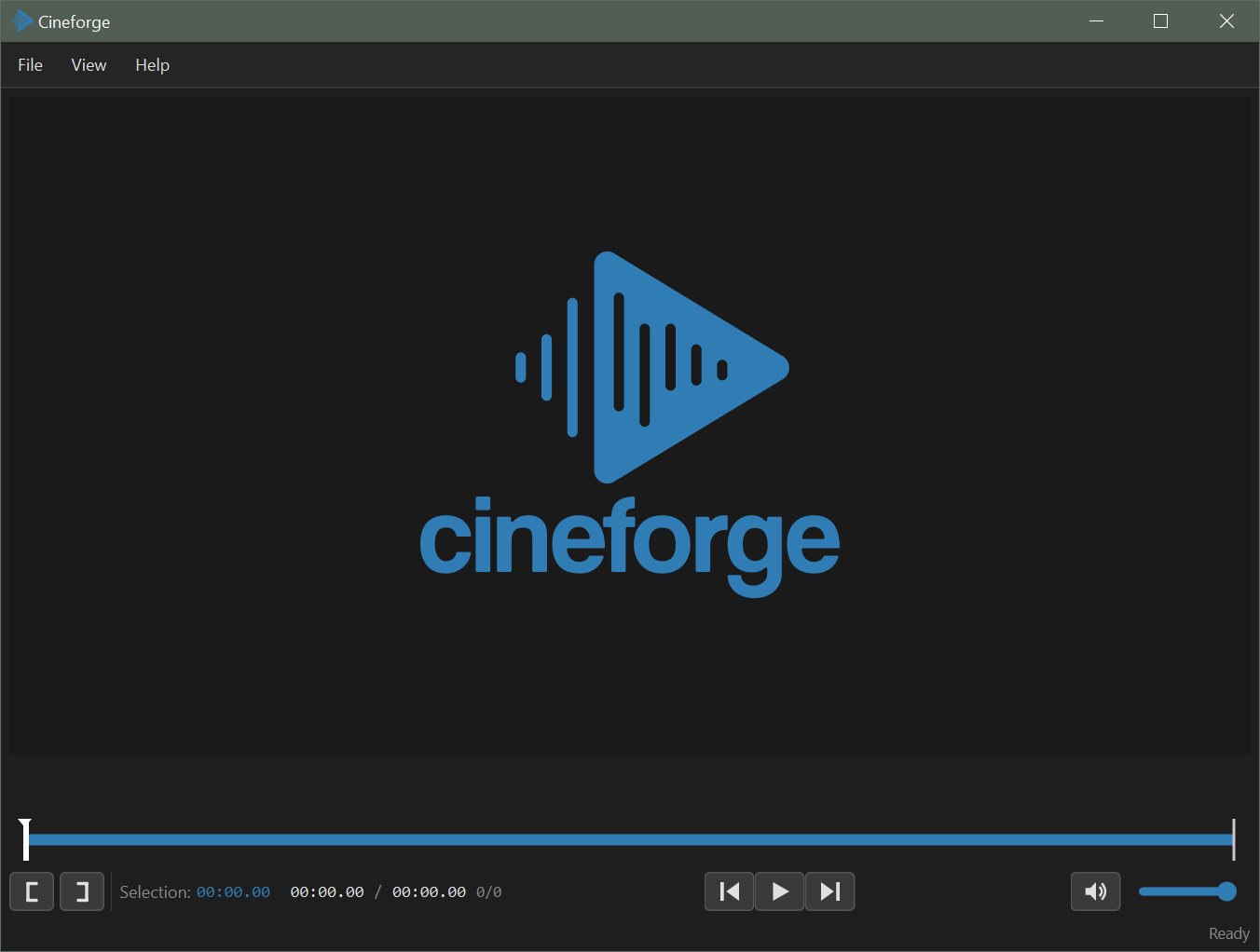
Everything you need,
nothing you don't.
Instant Preview
Real-time video playback with frame-accurate scrubbing and audio waveform display.
Precise Trimming
Set in/out points with frame precision. Visual markers show your selection instantly.
Transform Tools
Scale, rotate, flip, and mirror your videos with intuitive numpad shortcuts.
Multiple Formats
Export to MP4, WebM, MOV, MKV, GIF, MP3, WAV, and more with quality control.
Lightning Fast
Hardware-accelerated encoding via FFmpeg. No waiting, just exporting.
Context Menu
Right-click any video file to open directly in Cineforge. No hunting for apps.
Power at your fingertips
Master Cineforge with intuitive keyboard shortcuts
Playback
Scale (Numpad)
Move (Ctrl+Numpad)
Rotate (Alt+Numpad)
Choose your build
All versions include playback, trimming, and transforms. Pick your export needs.
Ultralight
~25 MBFor quick conversions. MP4 export only.
- Full playback support
- Trim & transform
- MP4 export (H.264)
Lite
~60 MBFor most users. Common formats covered.
- Full playback support
- Trim & transform
- H.264 + H.265 (HEVC)
- MP4, WebM, MOV, GIF
- Audio waveform
Full
~285 MBFor professionals. Every format supported.
- Full playback support
- Trim & transform
- All export formats
- ProRes, HEVC, AV1
- Hardware encoding